I’ve lost count of how many authors have messaged us panicking about a KDP rejection email at midnight, convinced their book is broken beyond repair. Nine times out of ten it’s not the story. It’s KDP childrens book formatting — margins off by a fraction of an inch, artwork saved at the wrong resolution, a trim size picked before anyone actually checked what it meant for the illustrations.
Nobody tells you this part when you decide to self-publish a picture book. Writing it is the part people romanticize. Getting it through Kindle Direct Publishing’s technical requirements without three rounds of resubmission? That’s the part that actually eats your week. So let’s go through how to format a children’s book for KDP properly, without the usual wall of jargon that makes half these guides unreadable.
Picture Books Play By Different Rules Than Novels
A novel is text. Margins shift a little, nobody notices, life goes on. A children’s book is closer to a piece of art with sentences sitting on top of it, and that changes everything about what KDP expects from your file.
This is why authors who’ve self-published a novel before get completely caught off guard the first time they try a picture book. They assume formatting is formatting. It isn’t. Kindle Direct Publishing children’s book requirements care a lot more about image resolution, exact page dimensions, and color accuracy than anything you dealt with formatting a text-only manuscript. The rules feel stricter because illustrations, unlike paragraphs, don’t forgive sloppy handling — they either look right or they don’t.
Fixed-Layout Kindle Book: Not Optional for Illustrated Books
If your book has illustrations tied to specific lines of text — rhyming picture books, alphabet books, anything where a joke or a moment depends on the image lining up with the words — you need a fixed-layout Kindle book. Not standard reflowable formatting.
Reflowable text lets content shift depending on screen size. Great for a mystery novel. Terrible for a picture book, because your illustration and its matching sentence can end up split across two different screens on someone’s phone. Fixed-layout locks everything in place. Page six is page six, whether someone’s reading on an old Fire tablet or a brand-new iPad. Amazon builds these using EPUB and PDF format standards — KDP takes both, though EPUB usually renders more predictably across devices, and PDF tends to be the smoother path if you’re heading toward paperback or hardcover print instead of (or alongside) Kindle.
Pick Your Trim Size Before Anyone Draws Anything
Trim size is your book’s actual page dimension, and it has to be decided before a single illustration gets made — not after. Some of the more common picture book trim sizes:
- 8.5″ x 8.5″ — the classic square picture book
- 8″ x 10″ — portrait, popular for storybooks
- 7.5″ x 7.5″ — a smaller square option some authors prefer for cost reasons
We’ve had clients come to us after finishing an entire illustrated manuscript with no trim size decided, and it’s a genuinely painful fix — art built for one set of dimensions doesn’t just scale cleanly into another. Every KDP children’s book project we take on locks the trim size in the very first conversation, before a pencil touches paper, for exactly this reason.
Bleed and Margin Settings: Where Most Rejections Come From
Bleed and margin settings cause more KDP rejections than anything else on this list, and honestly they’re not that complicated once someone explains them properly.
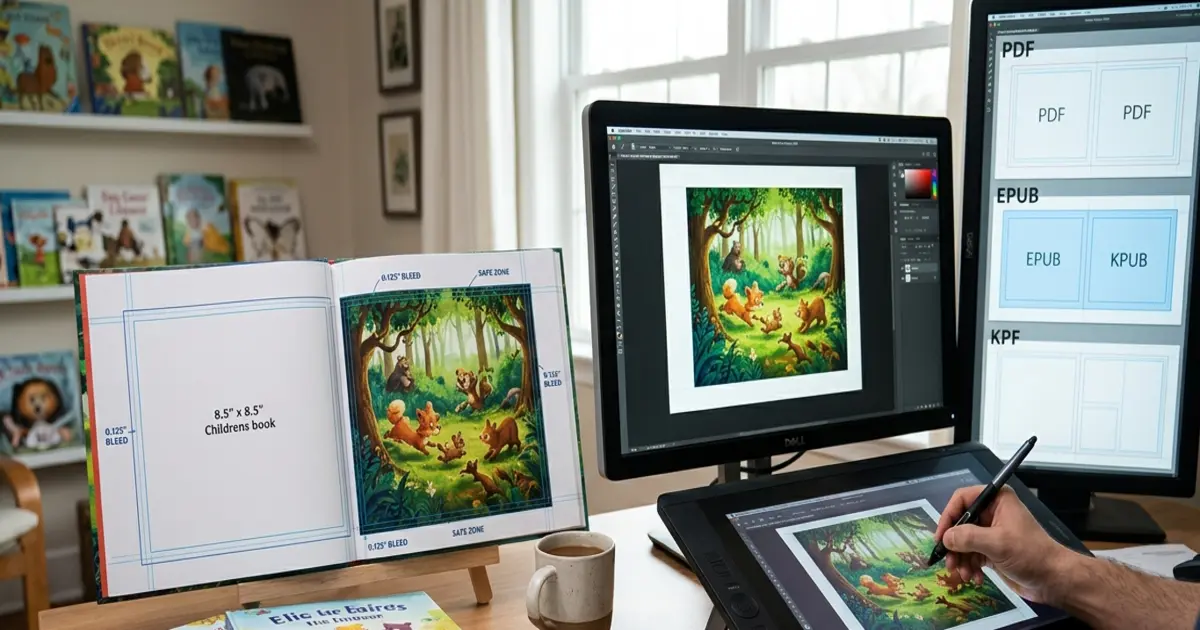
Bleed is extra artwork past the trim line — usually 0.125 inches on each side — that gets physically sliced off during printing. Skip it and you get thin, ugly white slivers along the edges where your illustration was supposed to reach the border. Margins work the opposite way: they’re the safe zone inside the trim line where text needs to stay so nothing gets swallowed by the spine or trimmed off by accident. KDP generally wants text kept at least half an inch from the trim edge on standard picture book sizes, though that number can move a bit depending on page count and binding.
Skip either one and you end up with a printed book that has a stray white gap around a full-page illustration, or worse — half a character’s face vanishing into the gutter. That’s the kind of thing that shows up in a one-star review before anyone even mentions your writing.
300 DPI Images, No Exceptions
If you remember one number from this entire guide, make it 300. Every piece of art going into a print file needs to be 300 DPI images at final trim size. Not 72 DPI because it looked crisp on your laptop screen. Not “close enough.”
Here’s a quick way to sanity-check it yourself: if a full-page spread file is under 5MB, there’s a decent chance it’s not actually hitting 300 DPI. We catch this constantly with authors bringing us custom children’s book illustrations that were started with someone else — the art looks fine on-screen, then goes soft and blurry the moment it hits an actual printed page.
CMYK vs RGB Actually Matters Here
Your screen shows color with light — red, green, blue. A printing press lays down actual ink, using cyan, magenta, yellow, and black. Hand a printer an RGB file and you’ll get color shifts, sometimes drastic ones. A rich sunset orange can turn into a flat, muddy brown once it’s on paper.
Before uploading anything meant for a physical KDP edition, confirm your files are exported in a proper CMYK color profile. Digital-only Kindle editions can stay RGB since nobody’s printing them, but anything headed to paperback or hardcover absolutely cannot skip this step.
Getting Full Bleed Illustrations Right
Full bleed illustrations — artwork that runs edge to edge with zero white border — are what give a picture book that finished, immersive look kids actually respond to. But it only works if the bleed math above gets respected on every single spread. Miss the 0.125″ buffer and KDP’s printer either slaps unwanted white borders on your art or crops into it in ways you didn’t plan for.
This is one area where working with people who understand illustration and print specs together, instead of a generalist designer handling one and hoping the other works out, saves a lot of frustration. Our book cover design and interior illustration process is built around these bleed requirements from the very first sketch, not bolted on afterward.
Are Children’s Book Layout Templates Worth Using?
Children’s book layout templates can genuinely save time, especially if you’re self-publishing on a tight budget and formatting your first book. They come with trim size, bleed, and margin guides already set up, which removes a chunk of guesswork. The catch is they’re generic by nature — a layout built around your story’s specific pacing and the rhythm of your illustrations is going to read better than a template stretched to fit.
A decent compromise a lot of authors land on: use a template to understand the technical bones of the layout, then customize the page-by-page flow once your art is actually finished.
What Kindle Kids’ Book Creator Can (and Can’t) Do
Amazon’s free Kindle Kids’ Book Creator lets you build a fixed-layout picture book without touching code, and for a short, simple book it works fine. Where it starts to strain:
- Font pairing and text styling options are limited
- No support for interactive or pop-up-style elements
- Two-page spreads get clunky fast
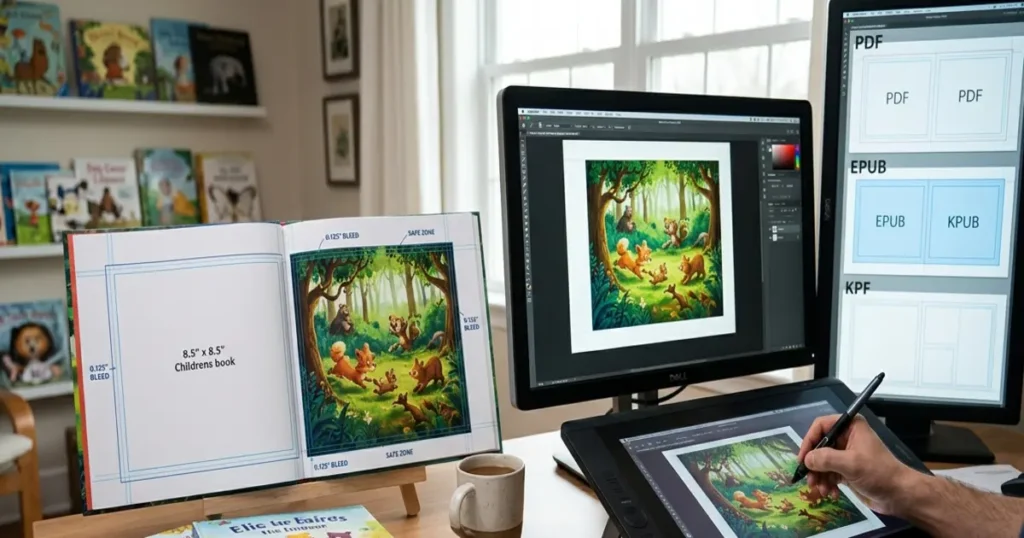
- Exports lock you into KPF format, which is Kindle-only rather than a flexible EPUB and PDF format you could reuse across platforms
For a straightforward 20 to 24-page story, it’ll get the job done. Once a project gets more ambitious — activity books, longer stories, layered text sitting over detailed art — you’ll want something with more control than the free tool offers.
Activity Books Format Differently
If your project has puzzles, mazes, coloring pages, or fill-in-the-blank sections mixed in with the story, the formatting rules shift again. Interactive pages need more white space, wider safe margins for kids actually writing on the page, and sometimes a different trim size entirely than a straight picture book would use. We went deep on this in our guide to formatting children’s activity books, which pairs well with everything here if your project mixes storytelling with activities.
Before You Hit Upload
- Trim size locked and consistent on every page
- Full bleed illustrations include the 0.125″ bleed margin
- Everything is 300 DPI images at final size — not upscaled from something smaller
- Print files converted to a CMYK color profile
- Text sits inside the safe margin, clear of the spine and trim edges
- File is exported fixed-layout, not reflowable
- Both EPUB and PDF format versions tested if you’re publishing across platforms
The Bottom Line
KDP children’s book formatting isn’t glamorous work. Trim size, bleed, DPI, color profiles — none of it makes for exciting conversation at a dinner party. But it’s the difference between a book that looks like someone rushed it out and one that looks like it belongs next to the picture books you actually grew up loving. Get it right the first time and you skip weeks of resubmissions and back-and-forth with Amazon’s review team.
If you’d rather not tackle the formatting side alone, we handle illustration and layout as one process, so nothing gets lost between the art and the final print file. Have a look at our portfolio, or just reach out and tell us where you’re stuck.
Frequently Asked Questions
1. What DPI do KDP children’s books need for print?
KDP requires 300 DPI images at final trim size for print illustrations, otherwise the artwork prints blurry or pixelated.
2. Should my children’s book files be RGB or CMYK?
Use a CMYK color profile for print editions. RGB only works for Kindle screen-only versions, never for paperback or hardcover files.
3. What exactly is a fixed-layout Kindle book?
It locks text and images in fixed positions on every page, unlike reflowable text, so illustrations always stay matched to their page.
4. Is Kindle Kids’ Book Creator enough for my whole book?
For a short, simple picture book under 24 pages, yes. Longer or more complex projects need more flexible formatting tools.
5. How much bleed does a full-page illustration need?
KDP typically asks for 0.125 inches of bleed on each edge for full bleed illustrations reaching the trim line.