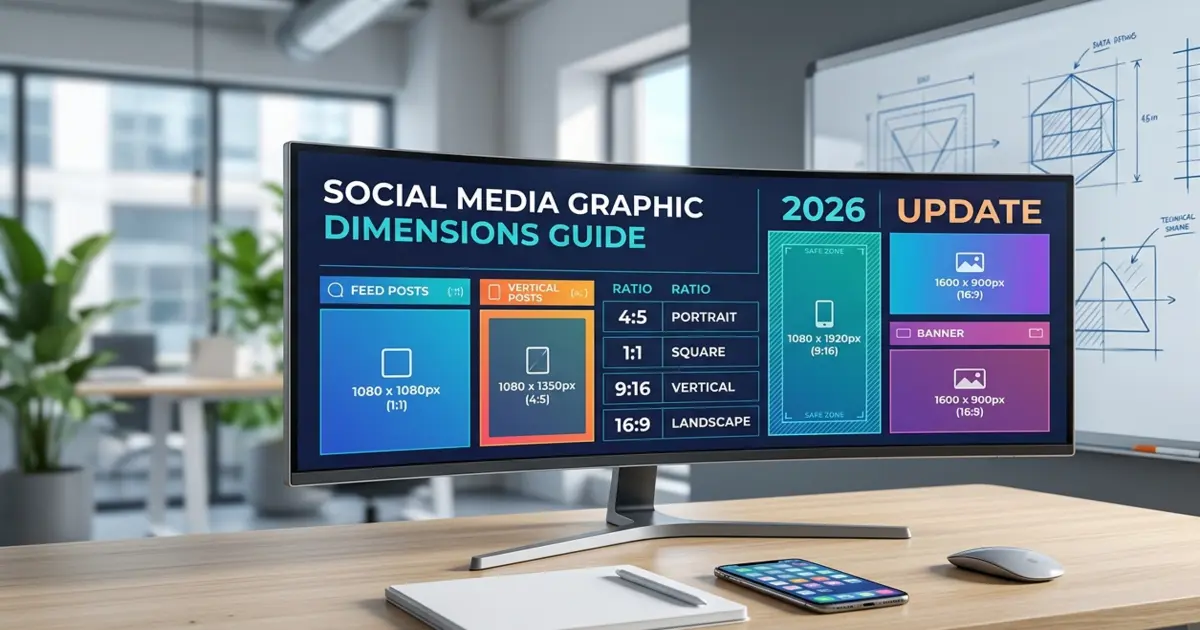
Social media graphic dimensions are the one thing almost every small business owner gets wrong, and it’s usually not their fault. Every platform tweaks its specs a few times a year, nobody sends out a memo about it, and by the time you’ve finally memorized Instagram’s sizing, Instagram has already moved on. If you’ve ever uploaded a post you were proud of and watched it get cropped in some awkward spot, cutting off your logo or half of someone’s face, you know exactly what I mean.
This guide exists because I got tired of digging through old blog posts that still quoted numbers from 2023. So here’s one place with the current social media graphic dimensions for every major platform in 2026, the aspect ratios behind them, and a few tools that make resizing less of a chore.
Why social media graphic dimensions actually matter in 2026
Getting your social media graphic dimensions right isn’t a vanity detail reserved for design nerds. It changes how your content actually performs. A post sized correctly fills the feed the way it’s supposed to, avoids ugly letterboxing, and doesn’t get auto-cropped in some way you never intended. Get the size wrong and you end up with blurry uploads, cut-off text, and a graphic that just looks a little “off,” even if the average viewer couldn’t tell you why.
There’s a trust angle here too. People scroll fast, and a stretched or pixelated image reads as unprofessional almost instantly. If you’re running paid ads, this matters even more, since Meta and TikTok can quietly limit the reach of creative that doesn’t match their required ratio, or reject it outright.
If your team is resizing graphics by hand across five platforms every week, it might be worth looking at how a social media content graphics service sets up a system once and reuses it, instead of guessing dimensions post by post.
Social media graphic dimensions 2026: quick reference table
Here’s the fast version. Bookmark it, screenshot it, whatever keeps it handy when you’re mid-upload and can’t remember if Pinterest wants a square or a rectangle.
| Platform | Post Type | Recommended Size (px) | Aspect Ratio |
| Feed post (square) | 1080 x 1080 | 1:1 | |
| Feed post (portrait) | 1080 x 1350 | 4:5 | |
| Story / Reel | 1080 x 1920 | 9:16 | |
| Feed post | 1200 x 630 | 1.91:1 | |
| Cover photo | 820 x 312 | 2.63:1 | |
| Story | 1080 x 1920 | 9:16 | |
| X (Twitter) | In-stream image | 1600 x 900 | 16:9 |
| X (Twitter) | Header photo | 1500 x 500 | 3:1 |
| Feed post | 1200 x 1200 | 1:1 | |
| Cover banner | 1584 x 396 | 4:1 | |
| Standard Pin | 1000 x 1500 | 2:3 | |
| TikTok | Video / cover | 1080 x 1920 | 9:16 |
| YouTube | Thumbnail | 1280 x 720 | 16:9 |
| YouTube | Channel banner | 2560 x 1440 | 16:9 |
A quick note on this table: platforms round these numbers occasionally, and Meta in particular likes to shuffle its recommendations a few times a year. Treat it as your working baseline, not something set in stone.
Instagram social media post dimensions
Instagram is still the platform where social media graphic dimensions get the most attention, mostly because it’s unforgiving about cropping. Post something slightly off-ratio and it gets squeezed into a square or a 4:5 box automatically. You lose control over what gets cut, and it’s usually the part you cared about.
Square posts at 1080 x 1080 px still work everywhere, including the grid preview. Portrait posts at 1080 x 1350 px (4:5) take up more vertical scroll space, which tends to mean more time in front of the viewer. Stories and Reels need 1080 x 1920 px (9:16) if you want full-screen coverage without black bars showing up on either side.
One habit worth building: keep any text or logo at least 250px from the edges on Stories, since Instagram’s own interface (the profile name up top, the reply bar down below) sits directly on top of your graphic.
Facebook image sizes you need in 2026
Facebook is a little more forgiving than Instagram, but it has its own quirks. Feed images at 1200 x 630 px (1.91:1) display cleanly on desktop and mobile without cropping. Cover photos are the trickier part. The 820 x 312 px size looks right on desktop, but a chunk of it gets hidden on mobile, so keep your logo and any important text centered instead of pushed toward the edges.
X (Twitter) and LinkedIn social media post dimensions
X still favors a 16:9 image ratio for in-feed posts, which works out to 1600 x 900 px, and its header banner sits at 1500 x 500 px. LinkedIn has quietly shifted toward square and portrait formats performing better in its feed, so 1200 x 1200 px is a safe default for company page posts. The cover banner stays at 1584 x 396 px.
Pinterest, TikTok, and YouTube sizing
Pinterest rewards tall graphics. A 2:3 ratio, or 1000 x 1500 px, tends to catch the eye while scrolling without getting cut off in the grid view. TikTok is vertical-first, full stop: 1080 x 1920 px (9:16) for videos and cover images alike.
YouTube splits into two separate needs. Thumbnails at 1280 x 720 px (16:9) are what actually gets clicked in search and suggested feeds, and channel banners at 2560 x 1440 px need a safe zone in the center, since the banner displays differently depending on whether someone’s viewing it on a TV, a laptop, or a phone.
Understanding social media aspect ratios, not just pixel sizes
Pixel dimensions matter, but social media aspect ratios are honestly the more useful concept to learn, because ratios stay fairly stable even when a platform tweaks the exact pixel count behind them. The shorthand looks like this: 1:1 is square and works almost everywhere for feed posts. 4:5 is portrait and dominates the Instagram feed. 9:16 is full vertical, used for Stories, Reels, and TikTok. 16:9 is landscape and standard for YouTube and X images. 2:3 is a taller portrait shape, which is Pinterest’s preference.
Once you understand the ratio behind a size, you can resize confidently for a new platform even before that platform gets around to updating its own spec page. That’s really the difference between memorizing numbers and actually understanding social media graphic dimensions.
Building a social media graphic size cheat sheet for your brand
A social media cheat sheet only earns its name if your team actually opens it. The most useful version usually isn’t a PDF buried three folders deep in a shared drive. It’s a template file, built once at the correct sizes, duplicated for every new post. If your brand is producing content across four or five platforms a week, a proper graphic design setup with pre-built templates saves real hours compared to resizing everything by hand.
For teams that want something simple to hand off to anyone on staff, a one-page social media image size guide PDF works fine as an internal reference. One page, one table, pinned above the desk or dropped into the shared folder.
Free social media templates for Figma and Canva social media canvas sizes
If you’re building your own templates instead of hiring it out, both major design tools already have you covered.
Canva social media canvas sizes are built directly into the platform’s template picker. Search “Instagram Post,” “Pinterest Pin,” or “YouTube Thumbnail,” and Canva loads the correct canvas dimensions automatically, so there’s no need to type in pixel values by hand.
Free social media templates for Figma are a bit more scattered, but Figma’s community library has thousands of pre-built frames sized to match everything in the table above. Search by platform name and you’ll find frame presets ready to duplicate, which comes in handy if your team already works in Figma for other brand assets anyway.
Either tool is fine for a solo creator or a small team. Where it gets harder is consistency at scale, keeping fonts, colors, and layout logic identical across fifty graphics a month. That’s usually the point where handing things off to a graphics branding partner starts saving more time than it costs.
Common social media graphic dimensions mistakes to avoid
The most common one is reusing a single size for every platform. A square post looks great on Instagram and gets awkwardly cropped the moment you drop it into Pinterest. Right behind that is placing text or logos too close to the edge, which is a problem on Stories and Reels specifically, since both overlay interface elements along the top and bottom of the frame.
Uploading low-resolution source files causes trouble too. Always design larger than the platform’s minimum and let it compress the file down, not the other way around. Ignoring safe zones on banners is another one worth watching, since Facebook and YouTube banners display differently across devices, so keep the important content centered rather than near the edges. And it’s easy to forget video covers altogether. TikTok and Instagram Reels both use a static cover frame that needs its own separate sizing check.
When to bring in a design team
Doing this yourself is completely doable for a solo brand posting a few times a week. Once you’re managing multiple platforms, running paid campaigns, or trying to hold a consistent visual identity across dozens of monthly posts, the math starts favoring outside help. It’s the same point we made in our post on 2026 social media graphic design trends for small business: consistency compounds over time, and so does the lack of it.
If you’d rather hand off the sizing headaches entirely, take a look at our portfolio or contact us to talk through what a done-for-you social content system could look like for your brand.
Frequently asked questions
What are the standard social media graphic dimensions for 2026?
Instagram feed: 1080x1080px. Stories/Reels/TikTok: 1080x1920px. Facebook feed: 1200x630px. LinkedIn: 1200x1200px. Pinterest: 1000x1500px. YouTube thumbnail: 1280x720px.
What’s the best aspect ratio for Instagram in 2026?
4:5 (1080x1350px) generally performs best for feed posts since it takes up more vertical scroll space than a square 1:1 image on mobile devices.
Do social media image sizes change often?
Yes. Platforms like Meta and TikTok update recommended sizes a few times yearly. Check dimensions quarterly, and rebuild templates whenever a platform changes its display specs.
Can I use one graphic size across all platforms?
Not ideally. Each platform crops differently. Design at the correct native ratio per platform, or your graphic risks awkward cropping, blurriness, or hidden text.
Where can I get free social media templates with correct sizing?
Canva’s built-in template picker and Figma’s community library both offer free, pre-sized frames for every major platform, updated regularly to match current specs.
Need graphics that are sized right the first time, every time? Drawphics builds platform-ready social media content so your team never has to think about pixel dimensions again.