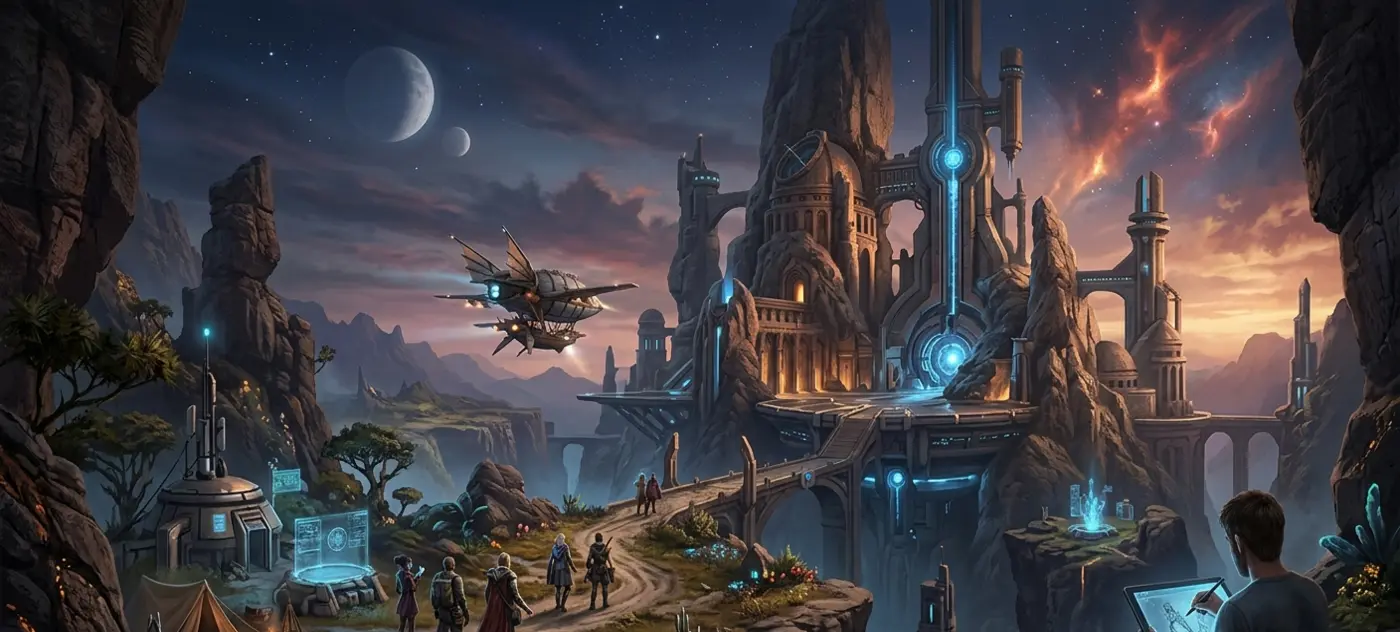
Digital concept art is the reason a movie monster looks terrifying before the visual effects team ever touches it, and the reason a video game world feels lived in before a single line of code renders it. If you’ve ever wondered how a director explains “make it feel ancient but alien” to a hundred person crew without everyone imagining something different, the answer is almost always a piece of concept art pinned to a wall or shared in a Slack channel.
This guide covers what digital concept art actually is, why studios treat it as a required step rather than an extra, and how the process moves from a rough sketch to something an entire production can build from.
What Is Digital Concept Art?
Digital concept art is visual problem solving. It’s the practice of making drawings and paintings, using digital tools instead of pencils and paper, that answer a specific question a production is facing. What does this creature look like? How tall is this building next to the character standing beside it? What color palette tells the audience “this scene is dangerous” without a word of dialogue?
That’s the digital concept art definition worth holding onto: it’s not decoration, it’s a working document. A concept artist isn’t painting for a gallery wall. They’re painting so a studio can answer a design question faster and cheaper than building it for real would allow.
Traditional concept art used pencils, markers, and paint on physical boards, and plenty of artists still sketch that way early on. The digital version does the same job with a tablet, a stylus, and software, which means faster revisions, easier color testing, and files that move straight into a 3D or animation pipeline without anyone scanning a page first.
Why Production Studios Need Concept Art
Skipping concept art doesn’t actually save money. It just moves the cost somewhere more expensive. Build a 3D game environment, then discover it doesn’t match the tone of the story, and now it has to be rebuilt. Shoot a scene, then realize the costume reads wrong on camera, and now there’s a reshoot on the schedule.
A drawing costs a fraction of what a rebuilt 3D asset or a reshoot costs, which is really the whole argument for concept art in one sentence. It also gets writers, directors, art directors, and modelers imagining the same thing instead of guessing at each other’s mental picture. Pitch decks and investor meetings lean on it too, since a painting makes an idea feel real in a way a paragraph of description rarely does. And long before a single asset gets built, lighting mood, color language, and scale relationships all get worked out on paper.
If you’re building a pitch deck or working through early creative direction, this is exactly where a dedicated digital concept art service earns its place in the budget.
Concept Art in Pre-Production: Where It All Starts
Concept art in pre-production is where a project’s visual identity actually gets decided. Before casting, before modeling, before a single set piece gets built, the concept team is already answering the biggest visual questions the story will ask.
This stage usually produces mood and tone boards that pin down color palette and lighting style, key art that captures the emotional core of the project in one image (often the same image that ends up in marketing later), rough thumbnails testing several visual directions at once, and reference boards pulled from photography, architecture, and nature to keep the whole thing grounded in something believable.
Reversing a creative decision after modelers, animators, and editorial teams have already built around it costs real time and real money. Reversing it on a sketch costs an eraser. A director can look at ten thumbnail variations in an afternoon; building ten variations of a 3D set would take months.
The Digital Concept Art Workflow, Step by Step
A digital concept art workflow moves through roughly the same stages whether the project is a film, a game, or an animated series. The order matters, because each step narrows down decisions the next step depends on.
- Brief and research. The artist gets a written brief from the director or art director, then digs into real world references: architecture, anatomy, historical periods, or existing genre art.
- Thumbnails. Small, rough sketches testing several compositions and ideas without committing to detail yet.
- Value studies. Light and shadow worked out in black and white before color enters the picture, since composition and readability live or die at this stage.
- Color and rendering pass. The chosen thumbnail gets pushed to a polished stage, with full color, lighting, and texture.
- Turnarounds and orthographic views. For characters and props especially, additional angles get produced so a 3D modeler has everything they need without guessing.
- Revisions. Feedback from the director or client gets folded back in, sometimes across several rounds, before final sign off.
The concept design process rarely moves in a straight line. It loops back on itself constantly, and that’s kind of the point. Catching a bad idea at the thumbnail stage costs an hour. Catching it after a fully rendered painting costs a week.
Digital Concept Art Tools and Software
Ask ten concept artists what’s in their toolkit and you’ll mostly hear the same handful of names, though preferences shift by studio and by project. Photoshop is still the industry standard for painting, texture work, and photobashing, which is the practice of blending photo references directly into a painted piece. Procreate has become a favorite for artists working on iPad, especially for fast thumbnail work. Clip Studio Paint shows up a lot in character work and line heavy styles, particularly on game and comic pipelines. Some artists now block out perspective and lighting in Blender before painting over the render in 2D.
The software matters less than most beginners assume. Watch any working concept artist for an hour and the tool starts to feel almost incidental. What actually carries the piece is strong composition, believable light, and a design that reads clearly at a glance.
Concept Art for Video Games
Concept art for video games carries an extra layer of responsibility that film concept art doesn’t always deal with: everything has to actually be playable. A castle that looks stunning from one dramatic camera angle in a film still has to work from every angle a player might walk around it in a game.
That’s why environment concept art for games gets built with multiple viewing angles instead of just a single hero shot, with silhouettes that stay readable against busy gameplay backgrounds so players can spot enemies and interactables at a glance, and with a modular mindset, since large game worlds are usually assembled from repeatable pieces rather than fully custom environments.
Character concept design for games has its own checklist. A playable character needs a silhouette that reads clearly even at the small size of a minimap icon or loading screen portrait, color choices that stay legible under shifting in-game lighting, and enough rotation views that a 3D modeler and rigger can build the character without inventing missing details on their own.
Concept Art in Film Production
Concept art in film production leans harder into mood, storytelling, and photorealism, since the final output is a rendered frame or a physically built set rather than something a player walks around interactively.
Here, concept artists tend to produce key frames that visualize an important story moment before it’s ever shot or animated, production design boards covering sets, props, and costumes in one consistent visual language, creature and character designs that visual effects and puppeteering teams treat as the master reference, and environment paintings that establish scale and atmosphere for locations that may only ever exist digitally.
A film’s visual effects team, art department, and costume department often work from the same concept package at the same time, so keeping that package consistent isn’t optional. It’s what stops the finished film from looking like it was assembled by five different projects.
The Role of Concept Artist in Studios
The role of concept artist in studios sits at an odd intersection: part illustrator, part problem solver, part translator between a director’s vague idea and a production team’s very concrete needs. A concept artist interprets a brief that might be one sentence long, researches real world references to ground fantastical ideas in something believable, produces multiple options rather than a single answer, works directly with directors and 3D teams to keep the vision consistent, and adjusts fast when feedback comes back, often across several rounds per asset.
Some concept artists specialize narrowly, sticking to environments or characters only. Others take generalist roles at smaller studios, covering everything from prop design to lighting studies in the same week. Either way, the role usually reports into an art director, who keeps the overall visual language consistent across dozens or hundreds of assets. If a project needs dedicated character work as part of this process, a focused character design service can slot directly into that pipeline.
Concept Art vs Final Illustration
This trips up a lot of people new to the industry, so it’s worth spelling out. Concept art vs final illustration comes down to purpose, not skill level.
| Concept Art | Final Illustration | |
| Purpose | Solves a production problem | Stands alone as finished art |
| Audience | Internal team (directors, modelers, animators) | End viewer or customer |
| Polish level | Often loose or unfinished looking | Fully rendered and polished |
| Lifespan | Reference material, rarely seen publicly | The final, published piece |
| Flexibility | Expected to change through revisions | Locked once approved |
A concept piece can look rough and still do its job perfectly, since its job is communicating an idea to a small internal team. A final illustration has to hold up under public scrutiny, because it’s the thing the audience actually sees. Neither one is better than the other. They’re built for different jobs.
The Concept Art Creation Pipeline: How It All Connects
Pull back far enough and the concept art creation pipeline is really just a chain of handoffs, not something that exists in isolation. It runs roughly like this:
Brief → Research → Thumbnails → Approved Direction → Full Render → 3D Modeling / Storyboarding → Production
Every stage downstream depends on the concept work holding up. A 3D modeler building a character from a concept sheet needs clean turnarounds to work from. An animator planning a shot needs a color script showing how the lighting shifts scene to scene. A marketing team needs key art that can stand alone in a trailer or on a store page. One solid concept package ends up quietly supporting dozens of other jobs across a studio.
Bringing It All Together
Digital concept art isn’t a creative extra tacked onto a production schedule when there’s budget left over. It’s closer to the foundation everything else gets built on, from environment design and character sheets to full production design boards. Studios that invest in it early save money, avoid rebuilds they didn’t plan for, and walk into production with one shared, clear vision instead of a dozen different mental pictures of the same idea.
Whether the project is a game, a film, or a series bible, getting the concept stage right shapes everything that follows. Take a look at our portfolio to see how concept work turns into finished production assets, or explore our full range of illustrator services for the next project on your list. When you’re ready to talk specifics, our team is one message away through contact us.
FAQs
What is digital concept art?
Digital concept art is visual planning made with digital tools to solve production questions about a character, environment, or object before final assets are built.
How is digital concept art different from final illustration?
Concept art guides internal production decisions and often looks unfinished. Final illustration is the polished, public facing piece audiences actually see.
Why do studios need concept art before production starts?
It catches costly design problems early, gets the whole team aligned on one vision, and settles tone, scale, and color before expensive assets get built.
What software do concept artists commonly use?
Photoshop, Procreate, and Clip Studio Paint lead the field, often paired with 3D blockout tools like Blender for perspective and lighting accuracy.
Is concept art different for games versus films?
Yes. Game concept art needs multiple angles and gameplay readability, while film concept art leans more on mood, lighting, and photorealistic storytelling.