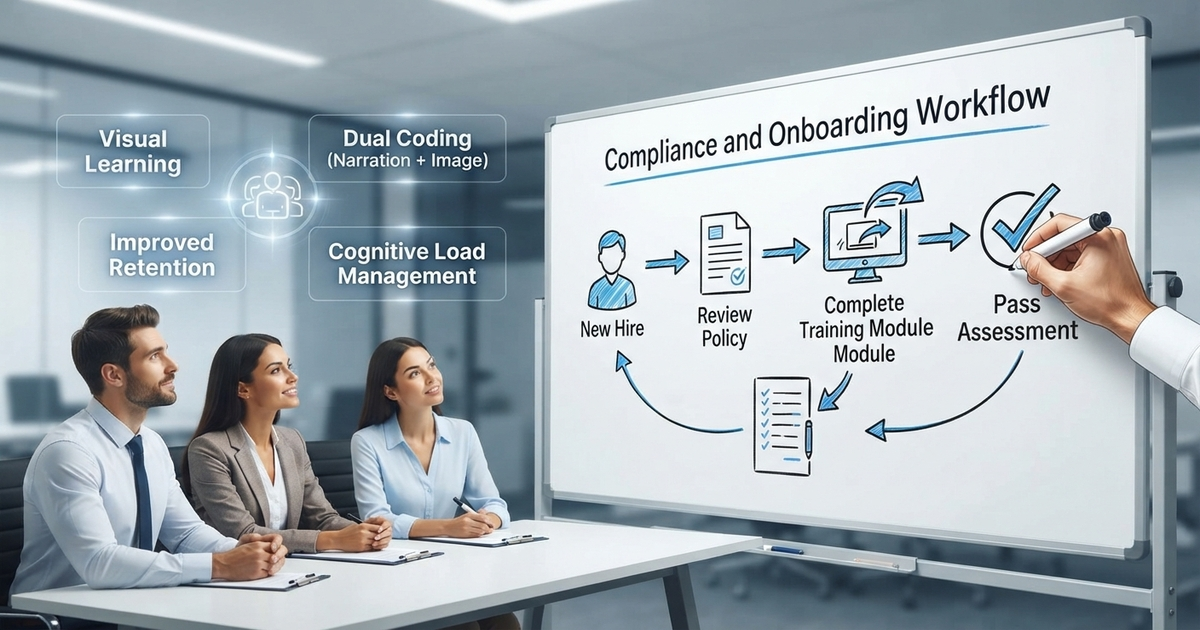
Whiteboard Animation for Corporate Training has quietly turned into a line item most L&D departments budget for every year, not a novelty a marketing team tried once. If you build or manage training content at a US company, you already know the feeling: a compliance module goes out on Monday, and by Friday almost nobody remembers what it said. Slides get read, not absorbed. A hand drawing on a whiteboard, timed to a clear voiceover, tends to hold on in a way bullet points just don’t.
Short answer: whiteboard animation works for training because it pairs narration with a matching visual, builds one idea at a time instead of dumping everything on a slide, and gives employees something short enough to actually finish and rewatch later.
That’s the whole argument in one sentence. The rest of this is the reasoning behind it, plus what it looks like to actually build a training library around it.
What Whiteboard Animation Actually Looks Like for Training
Whiteboard animation is a video style where illustrations appear to be sketched in real time on a plain background, guided by a narrator. Applied to corporate learning, a process, a policy, or a piece of software gets drawn out step by step instead of read off a deck.
It works for a fairly boring reason. It copies how a decent instructor already teaches in a room: draw something, say what it means, add the next piece, repeat. Employees aren’t just watching a video play. They’re watching an idea get assembled in front of them, which gives the brain something to hang the information on besides a bulleted list.
Why Most Corporate Training Videos Don’t Stick
Most corporate training videos follow the same recipe. A presenter on camera, a stack of slides, maybe some stock footage cut in between scenes. None of that is broken, exactly. It’s just not built with retention in mind.
Text-heavy slides force employees to read and listen at once, and both tasks compete for the same slice of attention. A talking head with no visual support asks people to hold an abstract idea in their memory with nothing but a face to look at. Neither one solves the actual training video content strategy problem, because neither lowers the real effort it takes to understand something new. It just moves the information from paper to a screen.
The Science: Cognitive Load Theory in Training
Cognitive load theory in training isn’t a buzzword someone invented for a pitch deck. It’s a genuine framework from educational psychology, first laid out by John Sweller in the 1980s. The core claim is simple: working memory can only hold so much at once, and stuffing it with unnecessary detail crowds out actual learning.
Whiteboard animation cuts that load down in two ways. First, dual coding: narration and a matching image land at the same time, so the brain processes one idea through two channels instead of fighting to hold it in one. Second, pacing. A hand-drawn sequence naturally reveals one element, then the next, never the whole picture at once. That second point matters most when you’re dealing with genuinely complex training concepts visualization, something like a multi-step compliance workflow or a new internal system nobody’s used before.
Where Whiteboard Explainer Videos for Business Actually Win
Whiteboard explainer videos for business tend to outperform standard slides in three fairly specific situations.
Process and workflow training is the obvious one. Onboarding a new hire, walking through a safety protocol, explaining how a claims process moves from intake to resolution, all of it benefits from watching each step get drawn in order rather than described.
Policy and compliance training is the second. Dense material like HR policy or a regulatory update goes down a lot easier as a short visual story than as a wall of paragraphs nobody wants to open.
Software and systems training rounds it out. Showing how a new tool fits into someone’s daily routine is simply easier as a diagram than as spoken instructions with no picture attached.
None of this means slides disappear. Nobody’s suggesting you tear out your LMS or stop writing documentation. But for the handful of things employees genuinely need to remember a month later, animation earns its spot on the list.
Employee Training Animation in Action
Employee training animation shows up across a wider mix of industries than most people expect going in.
- A healthcare system uses whiteboard video to walk new hires through HIPAA basics before their first shift starts.
- A logistics company explains a new warehouse safety procedure in under three minutes, instead of handing out a 40-slide PDF nobody opens.
- A financial services firm turns a dry compliance update into a short animated module people actually watch instead of skipping straight to the quiz.
- A SaaS company builds onboarding content that shows how its internal tool works instead of just describing it.
None of these are trying to entertain anyone. The point is simply getting through material that’s genuinely important but naturally dull, without losing half the audience by the two-minute mark.
Building a Training Video Content Strategy Around the Format
A training video content strategy built around whiteboard animation usually splits content into shorter pieces instead of one long video nobody finishes in one sitting. A few things worth deciding upfront:
- Map the content to modules first. Instead of a 20-minute training video, break it into four or five animated training modules of three to five minutes each, each one built around a single concept.
- Write the script before touching visuals. The voiceover drives the drawing sequence, not the reverse. A clean script makes storyboarding faster and cheaper down the line.
- Keep one idea per scene. If a scene is trying to explain two things at once, split it into two scenes. This is where cognitive load gets managed for real, not just mentioned in a proposal.
- Build for reuse. Training content ages fast. Modular scripts mean a policy change only requires redoing one section, not the whole video.
If your team also produces general marketing or product explainer videos, the same production pipeline usually supports both, just with a different script structure written for internal audiences instead of prospects.
Visual Learning in the Workplace, Beyond the Video Itself
Visual learning in the workplace isn’t a new concept dressed up for a blog post. Instructional designers have used diagrams, flowcharts, and visual aids for decades, long before video was cheap enough to produce at scale. What’s actually changed is that animation now puts that same clarity in front of every employee at once, instead of relying on a live trainer standing in a room repeating the same explanation all week.
That shift matters more for distributed teams than it did ten years ago. A remote employee watching a whiteboard module gets something close to what a new hire gets standing next to a trainer at a real whiteboard. A written policy document can’t really replicate that, no matter how well it’s formatted.
What Engagement Rates in Corporate Training Actually Look Like
Engagement rates in corporate training tend to get measured by completion, not views, and completion is exactly where plain-text or slide-heavy modules quietly lose people. A shorter, visually driven module is easier to finish in one sitting than a long document employees tell themselves they’ll “get back to” (most never do).
Rewatchability is the other half of it. Employees are far likelier to reopen a three-minute animated clip to double-check one detail than to dig back through a policy PDF looking for the same thing. That second look is often where the real learning happens, not the first pass through the material.
Measuring Whether It Actually Worked
None of this is worth much if there’s no way to tell whether the video changed anything. A few metrics tend to matter more than raw view count:
- Completion rate, not just plays. A five-minute module watched to the end beats a twenty-minute one abandoned at minute six.
- Time to competency, meaning how quickly new hires stop asking their manager the same basic question the video already answered.
- Quiz or assessment scores immediately after the module, and again a few weeks out, since the second score is the one that reflects actual retention.
- Repeat views, which usually signal the content is genuinely being used as a reference, not just checked off.
What to Look For in a Learning and Development Video Production Partner
Not every animation studio approaches learning and development video production the same way it would approach a marketing explainer, and that difference shows up fast once production starts. A few things worth checking before signing anyone:
- Ask to see past work built specifically for training or internal use, not only brand marketing reels.
- Confirm the studio can work from your existing training documents or LMS content instead of starting from a blank script.
- Ask about revision turnaround. Training content gets updated constantly as policies shift.
- Make sure the same visual style can scale across a whole training library, not just one polished video used as a sample.
If you’re still deciding between whiteboard and other animation styles for your training library, our comparison of whiteboard animation vs 2D walks through where each format fits best.
Why US Companies Are Leaning Into This Format Right Now
US-based L&D teams are dealing with more pressure than they were a few years back: hybrid and remote workforces, faster policy turnover, and budgets that have to justify themselves every quarter instead of every year. Whiteboard animation fits that pressure reasonably well. It’s cheaper to update than a live-action shoot, short enough to sit inside an LMS assignment without friction, and it plays the same whether someone’s watching from an office in Chicago or a kitchen table in Ohio.
That’s not a claim that it fixes everything. Some training genuinely needs a live instructor, a hands-on demo, or an actual conversation with a person. But for the material currently sitting in a PDF nobody opens, this is one of the more reliable ways to get it watched at all.
Ready to Turn Your Training Content Into Something People Watch?
If your training library is full of documents nobody finishes, it’s worth seeing what a short animated module could do instead. Drawphics builds whiteboard animation, explainer videos, and 2D content for companies that need training material people actually retain. Get in touch and we’ll walk through what a first module could look like for your team.
Frequently Asked Questions
1. What is whiteboard animation for corporate training?
A video style where a hand draws illustrations in sync with narration, used to explain processes, policies, or systems in a clear, step-by-step visual format.
2. How long should an animated training module be?
Most effective modules run three to five minutes and cover one concept, which keeps completion rates higher than a single long training video.
3. Is whiteboard animation better than live-action training video?
For process, policy, and compliance topics, usually yes, since it simplifies complex ideas. Live-action still suits interviews or hands-on demos better.
4. How does cognitive load theory apply to training videos?
It explains why pairing narration with matching visuals, one idea at a time, helps employees retain information instead of overloading working memory.
5. Can whiteboard animation be updated when policies change?
Yes. Scripts and scenes are usually modular, so a policy update means editing one section instead of reshooting the entire video.
6. Is corporate whiteboard video a good fit for every training topic?
Corporate whiteboard animations work best for process, policy, and systems training. They’re less suited to hands-on skills training or anything requiring real physical demonstration.