2D character rigging is the one production step most people scoping out an explainer video never hear about. And it’s exactly the step that decides whether your final invoice lands at $2,000 or $12,000. If you’ve gotten wildly different quotes for what sounds like the same animated video, rigging is usually the hidden variable nobody bothered explaining to you.
I’ve seen US founders quoted painful numbers for a 60-second explainer, then watched a different studio hand over a sharper-looking video for a third of the price. Almost every time, the gap comes down to one thing: did the studio rig the character, or did they redraw it by hand, frame after frame?
Let’s get into what 2D character rigging actually is, how it works, and why it’s become the backbone of cost-effective 2D animation for US brands heading into 2026.
What Is 2D Character Rigging, Exactly?
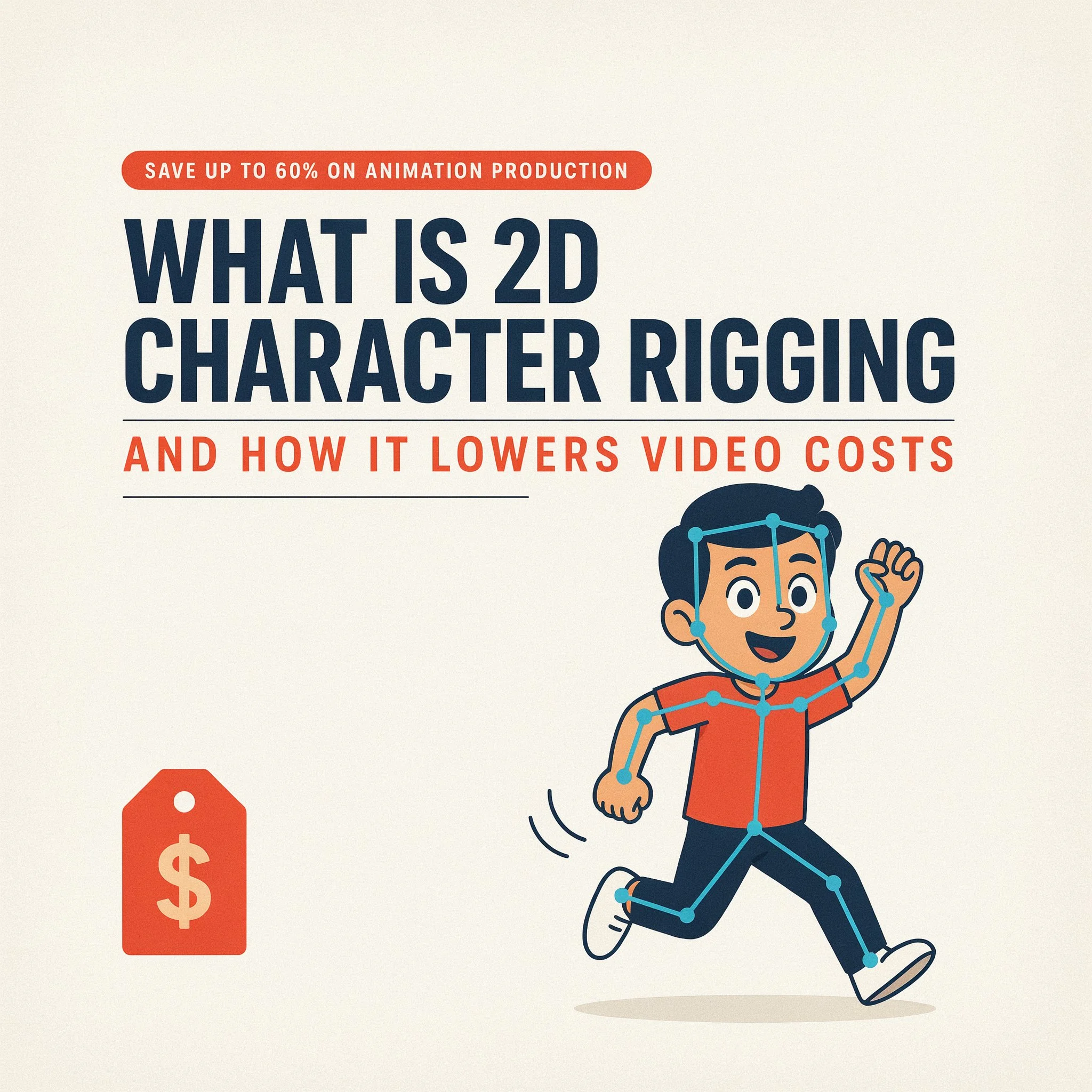
Here’s the short version of what is rigging in 2D animation: it’s building a digital skeleton inside flat artwork so an animator can move the character without redrawing a single line. Picture a marionette. Except instead of strings, the puppeteer pulls digital bones, pivots, and control handles.
Once a character’s rigged, an animator opens its mouth, raises an eyebrow, swings an arm, or walks it across the frame just by dragging joints around. No new artwork. No redrawing. Just motion applied to art that already exists.
Clients almost never see this part of the process. But it’s the part that quietly decides your timeline and your bill.
How Rigging 2D Characters Actually Works
Rigging 2D characters starts with flat artwork, usually split into layers for the head, torso, arms, hands, legs, and facial features. From there, a rigger sets up three pieces:
- A skeleton, or “bone” structure, that controls how each part can rotate and move.
- Control handles the animator drags around instead of touching the raw artwork directly.
- A skeletal deformation mesh wrapped around the artwork so it bends and stretches naturally instead of cracking apart at the joints.
That mesh is the real difference between an amateur rig and a professional one. Get it right, and a rigged arm bends like an actual arm. Get it wrong, and even gorgeous artwork looks broken the second it moves.
People call this setup 2D skeletal animation. It’s also what’s behind the term digital puppet animation — the character becomes an actual puppet, fully built, ready for an animator to bring to life in minutes instead of days.
Cut-Out Animation vs Frame-by-Frame: Why Rigging Wins on Budget
This comparison is the one that actually hits your wallet.
Frame-by-frame animation means an artist redraws, or heavily reworks, the character on every single frame of motion. Twelve to twenty-four drawings for one second of footage. It can look stunning in the right hands, but it eats time, and that’s exactly why it’s the priciest animation style around.
Cut-out animation runs on a rig instead. The artist draws the character once, rigs it, and the animator reuses that same artwork through the entire video, talking, walking, gesturing, reacting, whatever the script calls for. No redrawing. Just repositioning.
Put cut-out animation vs frame-by-frame side by side on a typical 90-second explainer, and the rigged version usually wraps in a third of the time. Time is what you’re actually paying for in any animation studio, no matter what the invoice says.
How 2D Character Rigging Lowers Your Explainer Video Production Budget
A rig does more than speed things up on the back end. It chips away at your explainer video production budget in a few concrete ways:
- Fewer billable hours per scene, since animating a new line of dialogue takes minutes once the rig exists, not a full day of redrawing.
- One rig gets reused everywhere the character appears, so there’s no extra redraw cost tacked onto each new shot.
- Revisions stay cheap. Client wants a wave instead of a point? That’s a five-minute fix on a rig, not a redraw from scratch.
- Lip-sync moves faster, because rigged mouths swap between pre-built shapes instead of an artist hand-drawing every syllable.
- Series content scales naturally. Run a recurring ad campaign or a YouTube explainer series, and the same rig powers every future video for a fraction of the original cost.
None of this is a budget trick, really. It’s just a smarter pipeline, and the savings happen to come along for the ride.
Cost-Effective 2D Animation: What US Brands Are Actually Paying in 2026
Numbers help here. A custom, frame-by-frame 60–90 second explainer video from a US-facing studio usually runs $6,000 to $15,000 or more, depending on style and how many revision rounds you need.
A rigged, cut-out style explainer covering the same length typically lands between $1,500 and $5,000, depending on how complex the character is and how many scenes you need. And that’s before counting how much cheaper future revisions and follow-up videos get once the rig already exists.
Comparing quotes for an explainer video and one number looks way lower than another? Ask the studio point blank whether the character’s rigged. That one question explains most of the pricing gap in this industry.
Digital Puppet Animation Tools Used for Rigging 2D Characters
A handful of tools show up again and again in this space, and it helps to know the names when you’re vetting a vendor:
- Adobe After Effects, paired with rigging plugins like Duik Bassel or RubberHose, is the go-to for marketing and explainer work.
- Toon Boom Harmony is the heavyweight, more common on higher-end series and broadcast projects.
- Adobe Character Animator is built for fast digital puppet animation, often used for livestream avatars or real-time content.
- Spine shows up a lot in game character rigging and skeletal deformation mesh work specifically.
None of these tools matter more than the rigger’s hand, though. A weak rig in expensive software still moves stiff. A great rig built in plain After Effects can look just as smooth as something built in pricier tools.
When Should You Invest in 2D Character Rigging?
Rigging earns its cost when:
- You need an explainer video, onboarding video, or product walkthrough built around a recurring character.
- You’re planning more than one video with that same character, like a series, a campaign, or several ad variants.
- Your budget has to stretch across multiple deliverables, not just one.
- You want fast turnarounds on revisions without renegotiating cost every single time.
It makes less sense for one-off, highly stylized hero pieces, where frame-by-frame’s artistic freedom is worth paying extra for. Think festival shorts or premium brand films, where the movement itself is the art.
For most business explainer and marketing content, though? Rigging’s the right call. It’s become the industry standard for a reason.
Why Brands Across the US Choose Drawphics for 2D Character Rigging
At Drawphics, rigging isn’t bolted onto an order after the fact. It’s built into how we approach every 2D & 3D animation project from the first sketch. Our character design team draws with rigging in mind from day one, which means cleaner deformation, faster turnarounds, and lower revision costs down the line for you.
Need a single explainer video, or a fully rigged character ready for a whole series of future videos? Our rigging of character service keeps your explainer video budget under control without cutting visual quality. And if a talking-head format isn’t quite the fit for your brand, our whiteboard animation service is worth a look too.
Want to see what a rigged character actually looks like in motion? Check our portfolio, or just reach out and we’ll walk you through what a rig would look like for your project specifically.
Final Thoughts
You don’t need to fully understand 2D character rigging to benefit from knowing it exists. Next time you’re comparing explainer video quotes in 2026, lead with the rigging question. It’s the single biggest factor separating a $2,000 video from a $12,000 one, and usually the difference between a studio that’s thought about your budget and one that hasn’t.
Planning a video, a campaign, or a character-driven series? Get the rig built right the first time, and every video that follows costs less than it would have otherwise.
Frequently Asked Questions
1. What is 2D character rigging in simple terms?
A digital skeleton built inside flat artwork so animators move characters by dragging joints, instead of redrawing them frame by frame.
2. How is rigging 2D characters different from frame-by-frame animation?
Rigging reuses one drawing for all motion. Frame-by-frame redraws the character repeatedly, which makes it slower and far more expensive.
3. How much does 2D character rigging cost for an explainer video?
A rigged 60–90 second explainer video typically runs $1,500–$5,000 in the US, versus $6,000–$15,000+ for frame-by-frame work.
4. What software is used for digital puppet animation?
Adobe After Effects (with Duik or RubberHose), Toon Boom Harmony, Adobe Character Animator, and Spine are the most common rigging tools.
5. Does 2D character rigging lower long-term video costs?
Yes. Once a character’s rigged, it can star in unlimited future videos, scenes, and revisions for a fraction of the original cost.